
MakeMeHappy plugins
PAY by Square QR Payment for WooCommerce
Show a bank-transfer QR code on the order confirmation and in the email, with the amount, account number and payment reference filled in.
Free WordPress.org
Download from WordPress.orgPlugin gallery
Get to know the plugin
Do you need to configure the plugin? Instructions: Setting Up PAY by Square QR Payments in WooCommerce.
Download for free from WordPress.org
QR Payment for Easier Bank Transfers
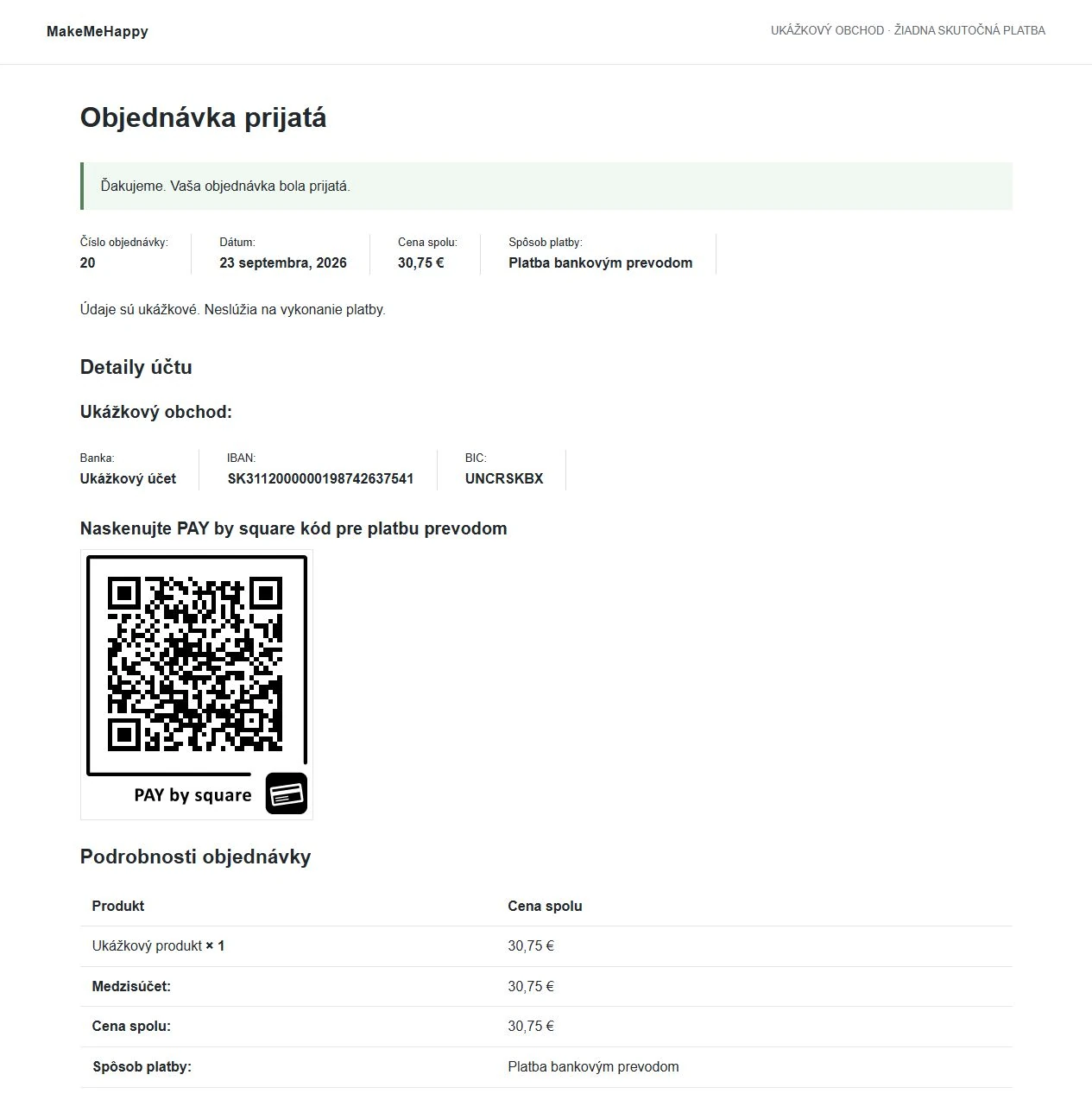
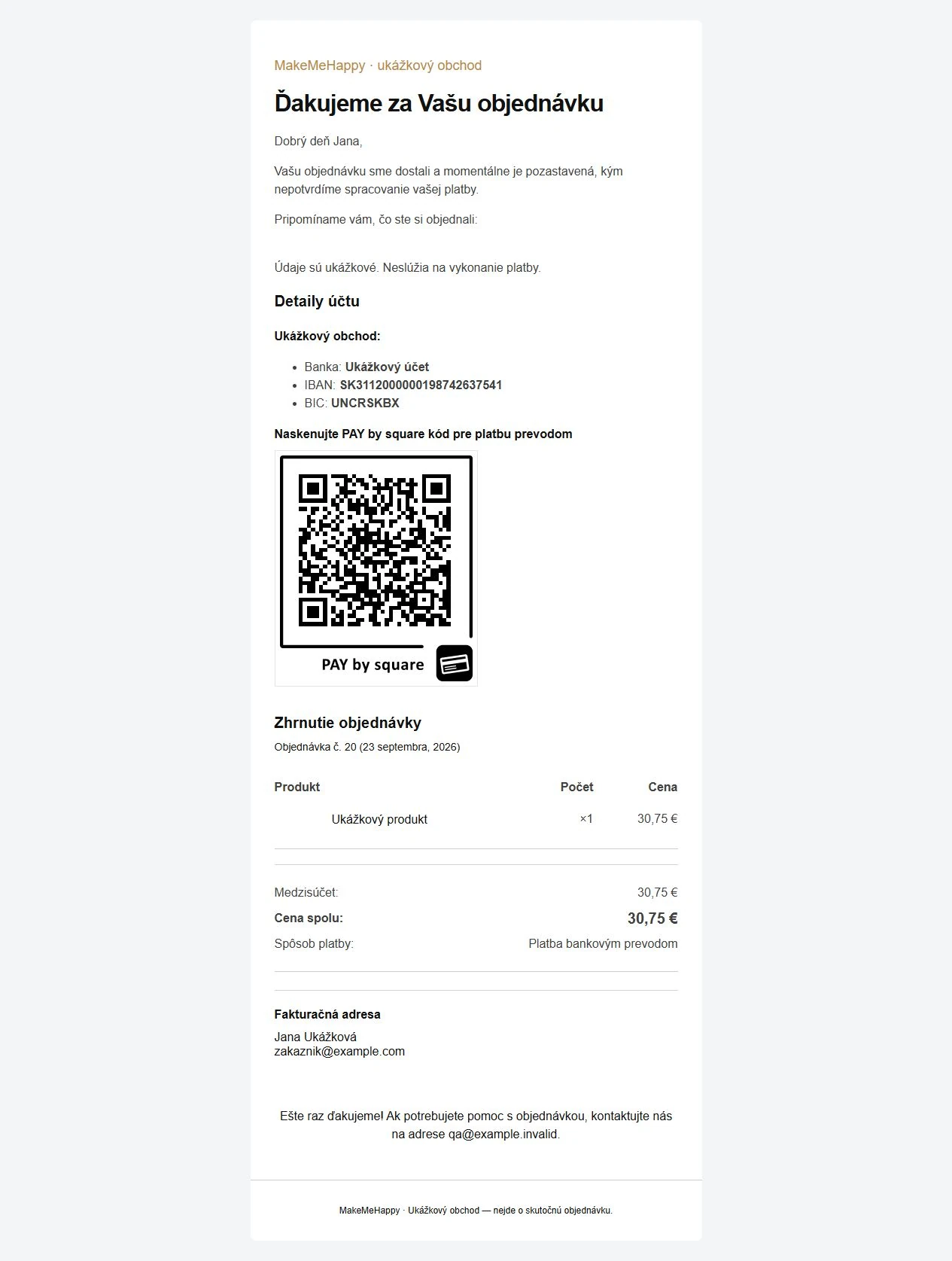
The customer completes the order, scans the QR code in the banking app, and reviews the payment details that have been pre-filled. They do not need to manually enter the IBAN, amount, or variable symbol.
MakeMeHappy QR Code is a free plugin for WooCommerce. You can find it in the official directory WordPress.org. All of its features are available without a purchase, subscription, or license activation.
What the plugin does
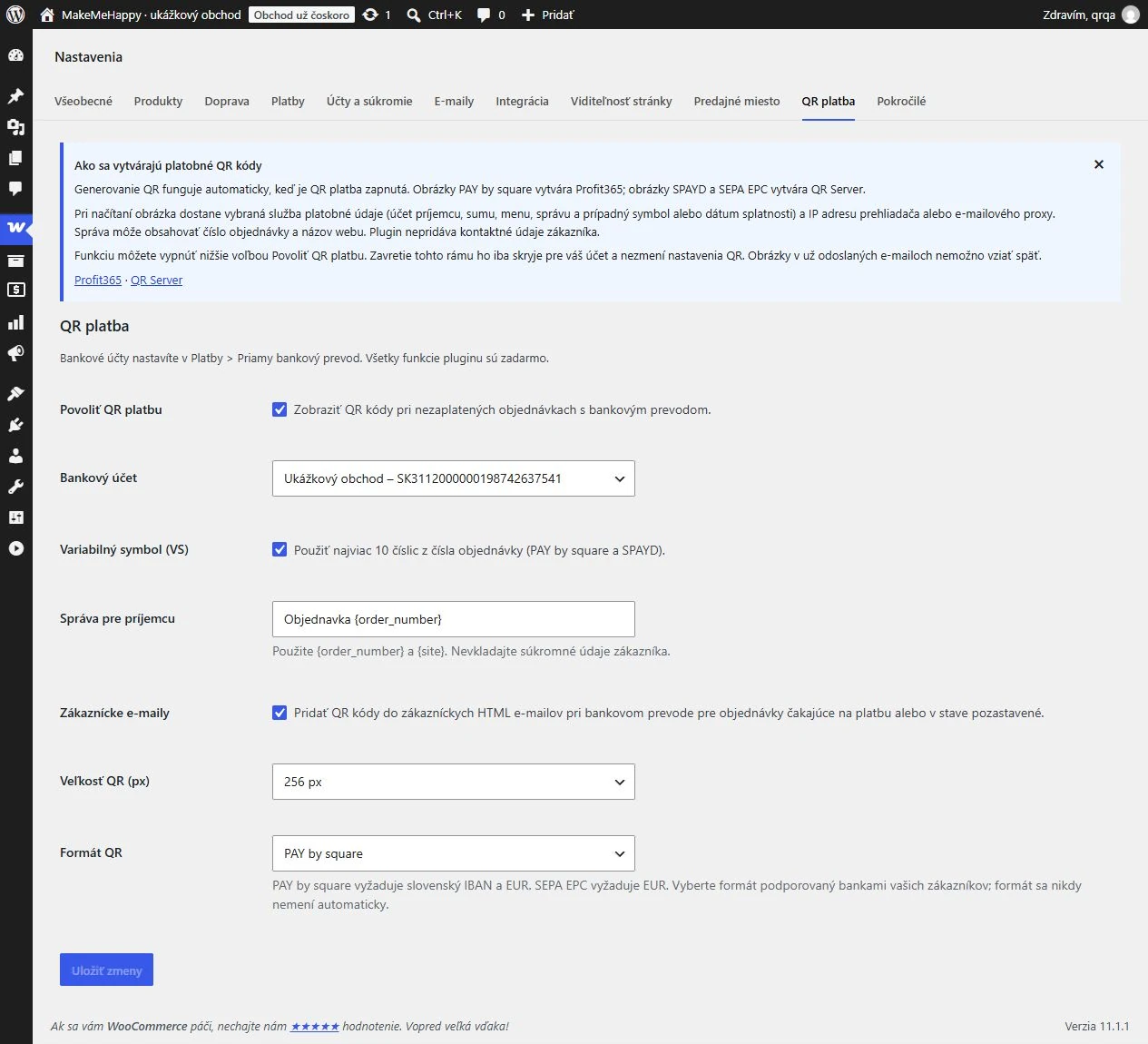
- PAY by square for Slovak bank accounts with an IBAN starting with SK and payments in EUR.
- A QR code on the page after an order is placed and, optionally, in customer HTML emails.
- Selecting an account from existing bank details in WooCommerce.
- Optional variable symbol derived from the order number, up to 10 digits.
- A custom message for the recipient containing the variables {order_number} and {site}.
- Select the size of the QR image: 64, 128, 256, or 512 pixels.
- Additional SPAYD and SEPA EPC formats, depending on the banking app's support.
- Support for the WooCommerce HPOS order storage.
The QR code appears for unpaid orders with a positive balance and bank transfer payment that are pending payment or on hold. The plugin does not process the payment or automatically confirm its receipt. You can check for received payments in the usual way.
How to Get Started
- Download the plugin from WordPress.org and install it on a website using WooCommerce.
- In WooCommerce → Settings → Payments Set up a direct bank transfer and a bank account.
- On the cards QR payment Select an account and format, set up the message, and configure how it appears in emails, if applicable. QR payments are enabled by default.
- Create a test order, and after scanning it, verify the recipient, the amount, and the variable symbol.
For detailed instructions, see Instructions for Setting Up QR Payments.
Are you using an older version? Before updating, create a backup of your website. When upgrading from version 1.0.2, your bank accounts, orders, and original main settings will be preserved. The new release does not require license activation, and updates are provided by WordPress.org.
How a QR Code Is Created
The PAY by square images are generated by the service Profit365, whom I would like to thank for providing the generator. For the SPAYD and SEPA EPC formats, the following is used: QR Server.
When a QR image is scanned, the selected service receives payment details—such as the IBAN, amount, currency, message, and any variable symbol—along with the IP address of the browser or email proxy. The plugin does not include the customer's contact information. Details are provided in the settings and on the plugin’s page on WordPress.org. The display of the image depends on the availability of the service and whether the email client allows external images.
Is the plugin helpful to you? You can support its development.
If this plugin makes it easier for you to accept payments, you can support its continued development and maintenance with a voluntary donation. I would appreciate any amount you feel is appropriate.
Donations are entirely voluntary. You can use all of the plugin's features for free even without making a donation. Thank you for your support.