
Print Order Receipt & PrintNode
Print an order receipt on a till printer through PrintNode, directly from the WooCommerce order screen.
€18.45 incl. Slovak VAT · €15.00 excluding VAT
Buy pluginPlugin gallery
Print Order Receipt & PrintNode
Description
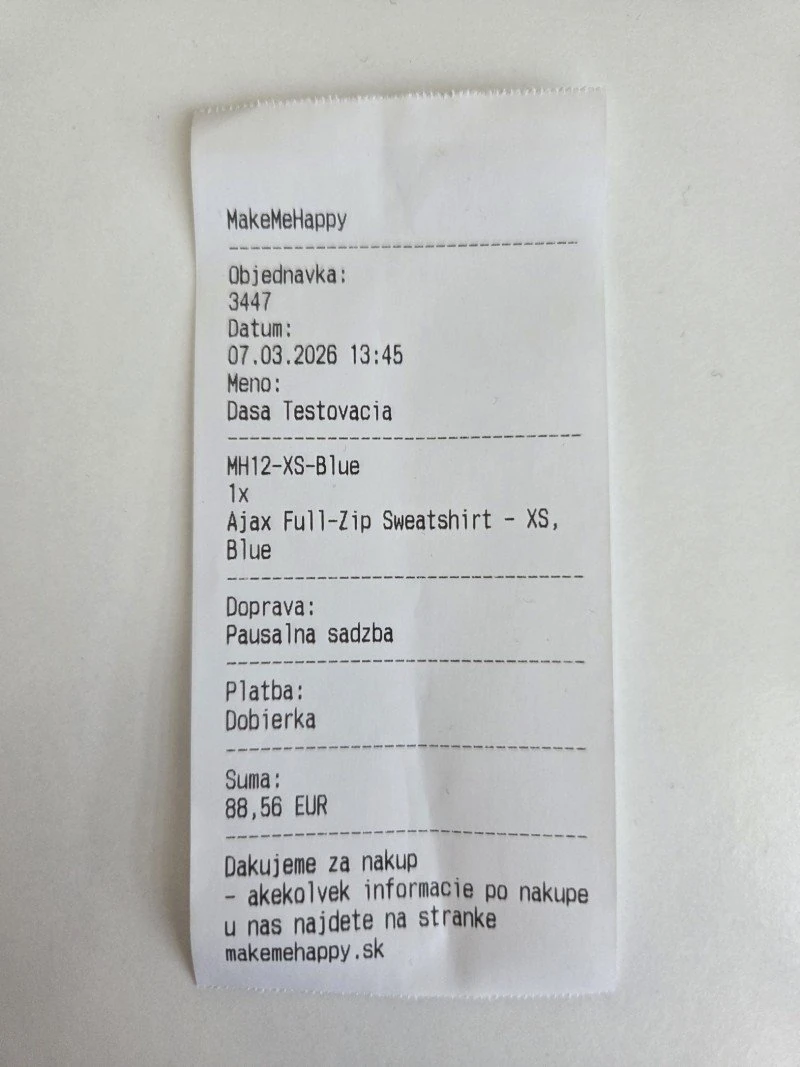
Adds a „Print Confirmation“ action to WooCommerce orders. Sends a simple ESC/POS style text confirmation to the configured PrintNode printer:
- Manual printing through stock orders.
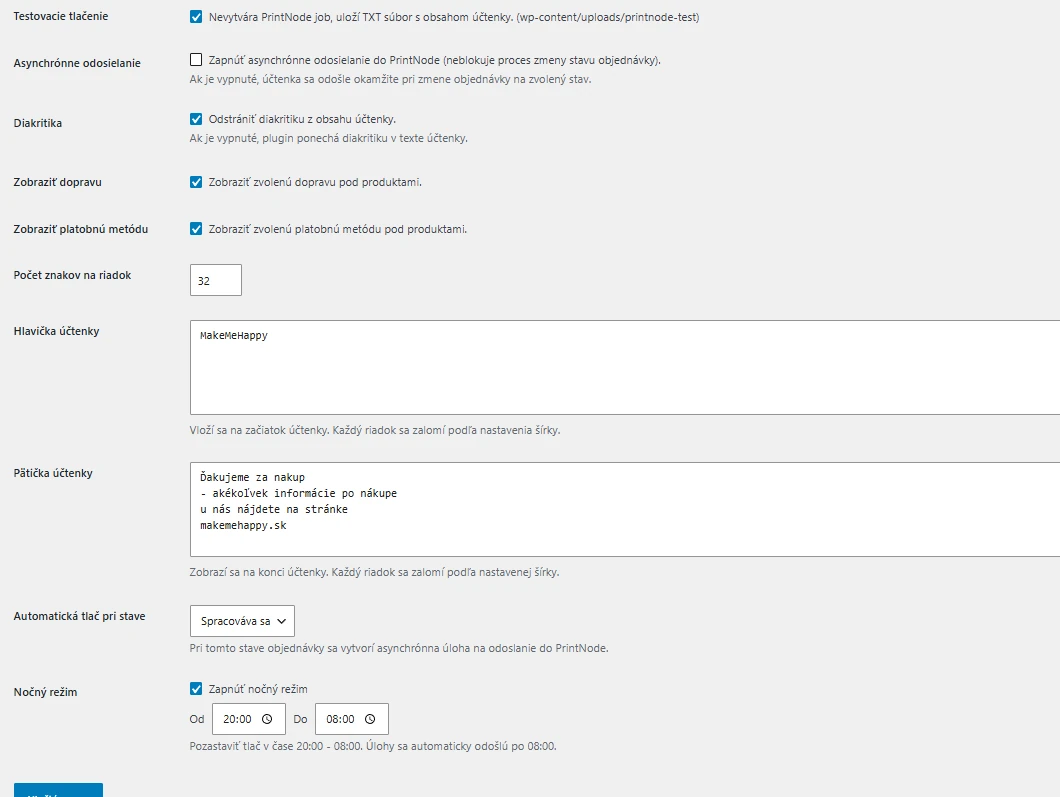
- Automatic printing in the „processing“ state.
- Removes non-ASCII diacritics/characters for better compatibility with thermal printer.
- Adjustable line width (number of characters per line).
- Custom header (store name) centered.
- Adjustable footer (multiple lines).
- Customizable labels Order, Date, Name, Total.
- PrintNode API key and printer ID stored in settings.
- WooCommerce logger used for errors.
Installation
- Upload the plugin folder to /wp-content/plugins/ (or place the files directly there).
- Activate the plugin in WordPress > Plugins.
- Go to WooCommerce > Print Confirmation.
- Enter:
- PrintNode API key
- Printer ID
- (Optional) Store name
- Footer text (multiple lines)
- Line width (characters, default 32)
- Custom labels
- Save your changes.
- In WooCommerce > Orders, use the printer icon to send the confirmation.
Frequently asked questions
= Nothing is pushed =
Check the API key, the printer ID, and whether the PrintNode client is running.
= Diacritical marks look wrong =
The plugin removes diacritical marks to improve ESC/POS output. Enter product names in ASCII or use an alternate solution.
= Can I change the line width for a new printer? =
Yeah. Set the „Line Width“ in the settings (16-64). Everything will be automatically adjusted/centered.
= Does it print images or barcodes? =
No. ESC/POS style output is text only (raw text).
Description
Adds a „Print Receipt“ action to WooCommerce orders. Sends a plain ESC/POS style text receipt to a configured PrintNode printer:
- Manual print via order actions.
- Automatic print on status „processing“.
- Removes diacritics / non-ASCII for better thermal printer compatibility.
- Adjustable line width (characters per line).
- Custom header (Store Name) centered.
- Editable footer (multi-line).
- Customizable labels: Order, Date, Name, Total.
- PrintNode API key & Printer ID stored in settings.
- WooCommerce logger used for errors.
Installation
- Upload the plugin folder to /wp-content/plugins/ (or place the files directly there).
- Activate the plugin in WordPress > Plugins.
- Go to WooCommerce > Print Receipt.
- Enter:
- PrintNode API Key
- Printer ID
- (Optional) Store Name
- Footer Text (multi-line)
- Line Width (characters, default 32)
- Custom labels
- Save changes.
- In WooCommerce > Orders use the printer icon to send a receipt.
Frequently Asked Questions
= Nothing prints =
Check API key, printer ID, and that the PrintNode client is running.
= Diacritics look wrong =
Plugin strips diacritics to improve ESC/POS output. Provide ASCII-safe product names or rely on fallback.
= Can I change line width for a new printer? =
Yeah. Adjust „Line Width“ in settings (16-64). All wrapping/centering updates automatically.
= Does it print images or barcodes? =
No. Text-only ESC/POS style output (raw text).