




This guide will help you to deactivate or change your license in the following cases:
- transfer the plugin to another web address,
- switching from trial to full version,
- renewal of the license after the expiry of the annual support.
DEACTIVATION
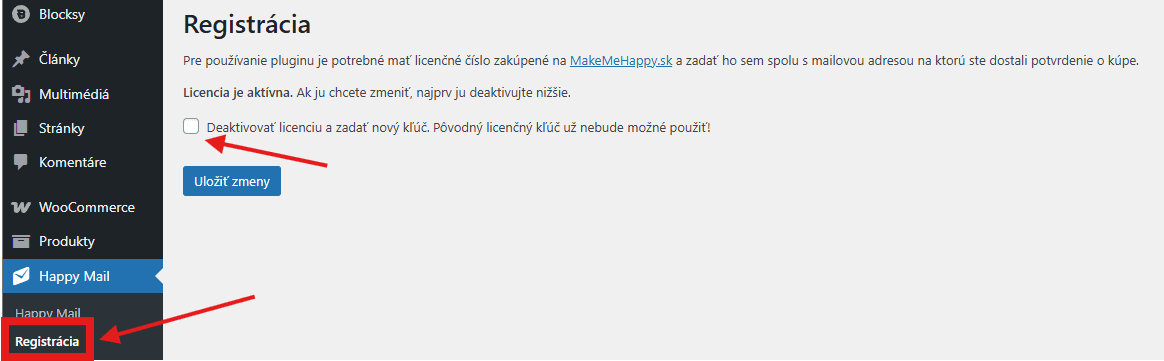
The procedure is the same for all our plugins (preview on Happy Mail):
- In the administration menu, click on the name of the plugin and select Register.
- Click Deactivate license.
- Confirm your choice by clicking on Save changes.
ACTIVATION
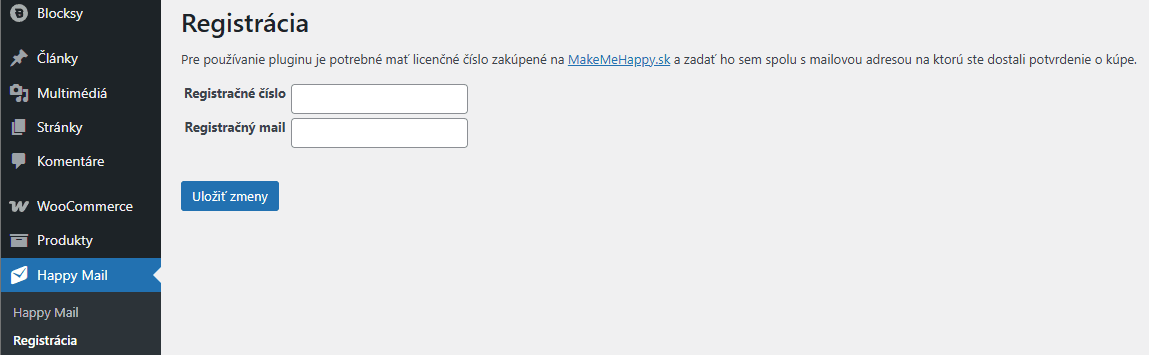
Activation procedure:
- In the administration go to the section Register within the plugin.
- Fill in your registration details (you will find them in the product purchase email).
- Click on Save changes. The plugin is then activated.