




Installation
A detailed description of how to install the plugin is also described with images this article.
Settings
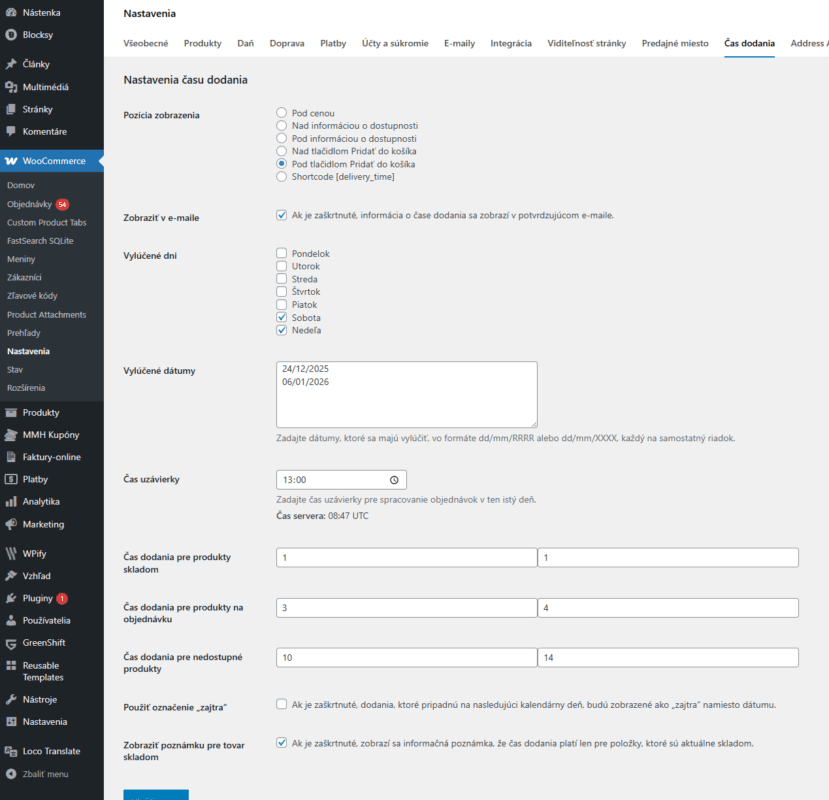
Once activated, the plugin administration is located in the woocommerce settings, specifically Woocommerce > Settings
Features
Display position
Select a position to display the delivery data. In the example, the position is below the Add to Cart button.

If you don't like the positions, you can view the message through the shortcode
[delivery_time]Show in e-mail
If checked, the information will also be displayed in the email above the customer's billing details
Excluded days
Here you choose which days to skip in the counting. For us it is normally a weekend.
Excluded dates
Here you can exclude dates to be skipped in the counting, for example holidays.
It is possible to exclude a one-time date, for example 24/12/2025, then the date will be skipped in the counting only in a specific date, only once.
Then there is an option to omit the date every year as follows: 24/12/XXXX Here this date is omitted every year.
01/01/XXXX
06/01/XXXX
01/05/XXXX
08/05/XXXX
05/07/XXXX
29/08/XXXX
15/09/XXXX
01/11/XXXX
24/12/XXXX
25/12/XXXX
26/12/XXXX
31/12/XXXX
Closing time
This is the time when the counting switches to the next day. It is the time until which you can send the order. After this time, the next nearest delivery date will be displayed.
Global setting of delivery times
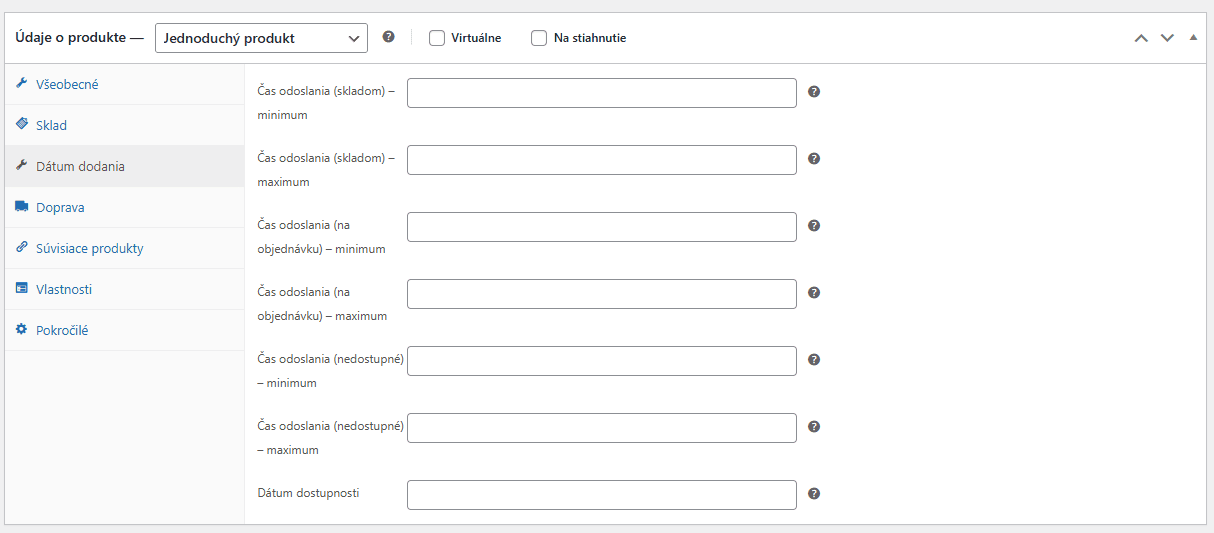
You set global delivery times for different product statuses. It is also possible to set delivery for each product individually and in the product details.
Use „tomorrow“
If checked, deliveries that fall on the next calendar day will be shown as „tomorrow“ instead of the date.
Show note for goods in stock
When you activate this option, you will see a message below the delivery date.

Shortcodes
1) [delivery_time]
- Purpose: Displays the estimated delivery time of the global product on the product page.
- Remarks: Uses global $product; returns an empty string if no WC_Product is available. Displays a short note only when stock > 0.
- Example usage: [delivery_time]

2) [wcdt_additional_quantity]
- Purpose: Displays a delivery time message when ordering multiple items (forward order/extra quantity).
- Attributes: id (optional) - passes the product ID for rendering out of product context.
- Usage example: [wcdt_additional_quantity] or [wcdt_additional_quantity id="123"]

3) [delivery_time_next_state]
- Purpose: Calculates and displays when the additional quantity (next stock status) will be delivered, taking into account excluded days/dates and the cut-off date.
- Example of use: [delivery_time_next_state]
Appearance of the container
Since version 1.5.4, the ability to customize the container background, text color and custom icon has been added. Changes are visible in real time in the administration.

