
Contract Withdrawal Form and Button for WooCommerce
Collect cancellation and return requests through a WooCommerce form. Customers can select individual items to return.
Free WordPress.org
Download from WordPress.orgPlugin gallery
Download for free from WordPress.org
A Clear Explanation of Contract Cancellation in Your Online Store
The customer submits a request via the form, and you can find the information needed to process it directly in WooCommerce. The customer can request to cancel an order before pickup or to return the entire order or selected items.
I decided to make the plugin available for free so that even smaller online stores can use it. You can find it in the official WordPress.org directory under the name MakeMeHappy Withdrawal Form.
What the plugin does
- A form on the website and buttons for placing orders in the customer account.
- Optional links to the form in order confirmation emails.
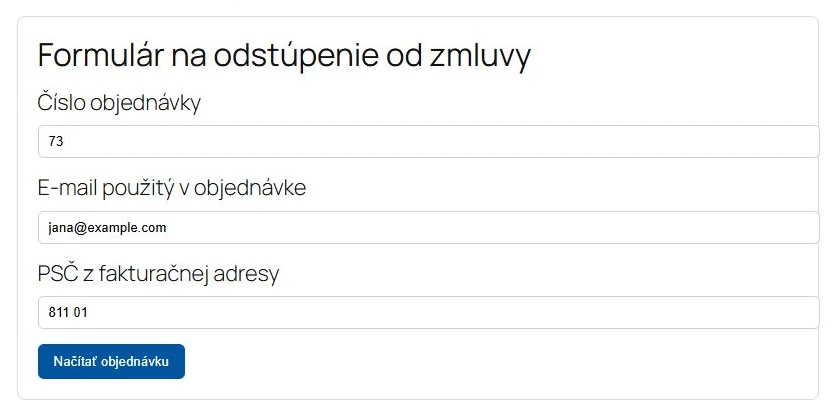
- Verify an order using the order number and billing email address; the ZIP code is optional.
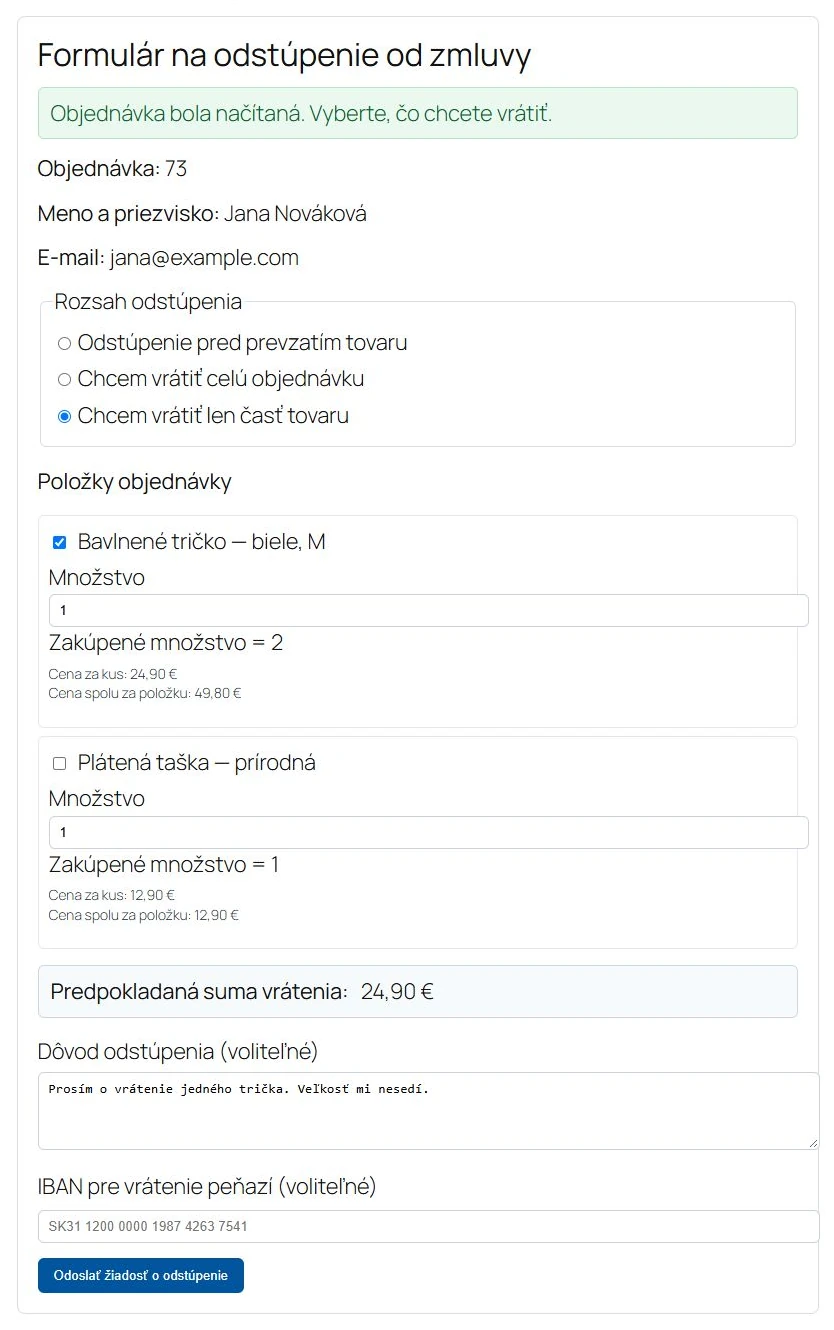
- Returning the entire order or selected items and quantities.
- Display the estimated refund amount and check the IBAN format.
- Setting the deadline for submitting requests and the valid order statuses.
- Email confirmations for both customers and stores, with customizable text.
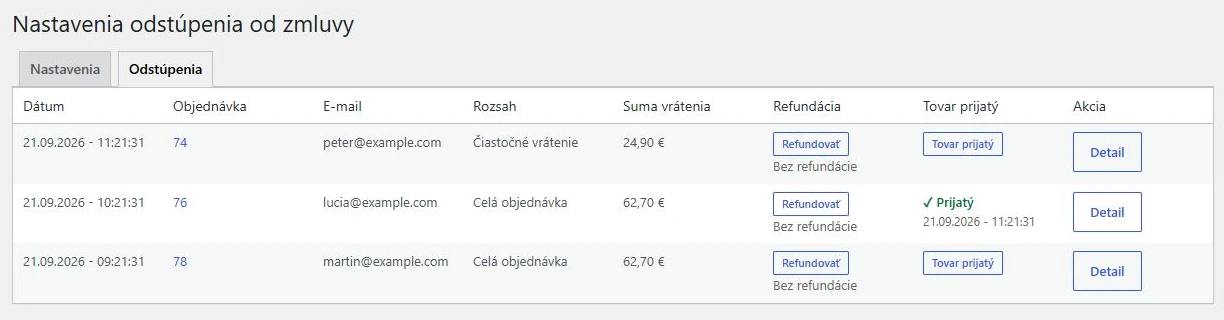
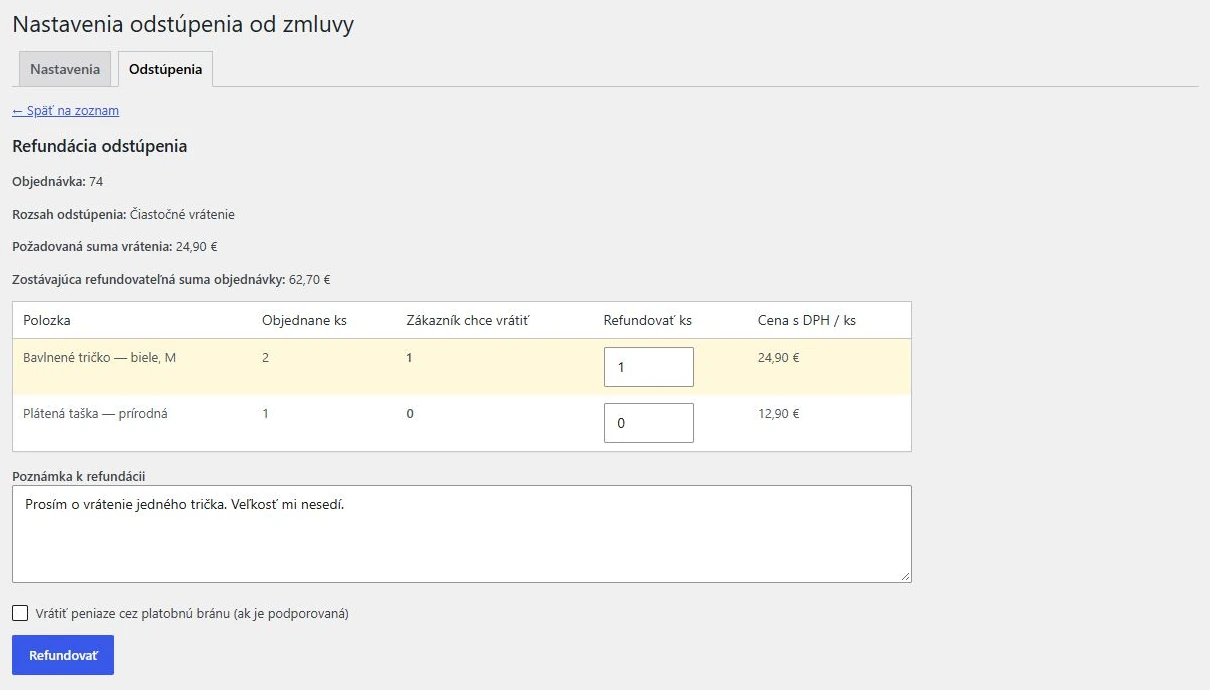
- Overview of requests, confirmation of receipt of goods, and processing of refunds in the administration system.
- Both Slovak and Czech interfaces.
Submitting a request does not automatically result in a refund. Refunds are initiated by the administrator; refunds processed through a payment gateway depend on whether WooCommerce supports that gateway.
How to Get Started
- In the WordPress admin panel, open Plugins → Add New and search for MakeMeHappy Withdrawal Form.
- Install and activate the plugin on your WooCommerce site.
- Create a page with a form and complete the setup as described in instructions.
Are you using the original paid version? The version from WordPress.org is a standalone plugin. Settings, older requests, and original shortcodes will not be automatically transferred. Before making the switch, create a backup and test the process on a test copy of your site. Do not activate both versions at the same time.
Is the plugin helpful to you? You can support its development.
If this plugin saves you time when handling requests, you can support its continued development and maintenance with a voluntary donation. I would appreciate any amount you feel is appropriate.
Donations are entirely voluntary. You can use all of the plugin's features for free even without making a donation. Thank you for your support.
Voluntarily support development
The plugin is a tool for receiving and processing requests. It is up to the e-shop operator to set the terms and conditions and evaluate specific cases.