





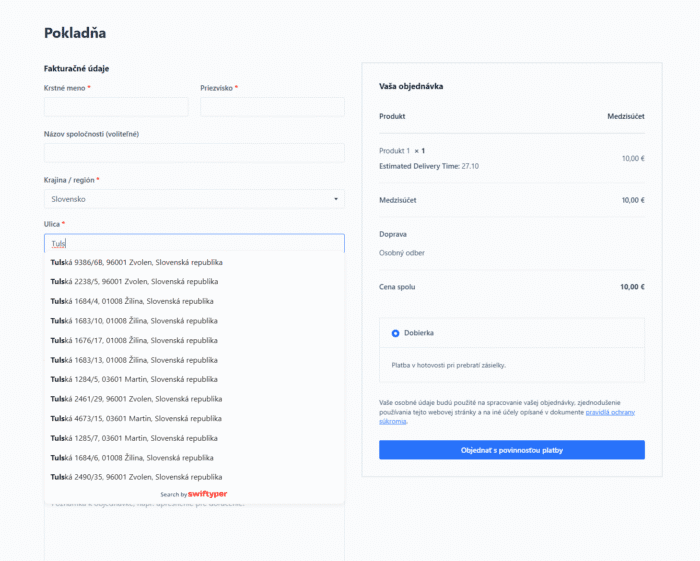


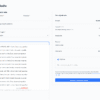
Adds automatic address completion using Swiftyper to the WooCommerce checkout (billing and shipping).
Description
This plugin integrates the Swiftyper Places service into the WooCommerce checkout to automatically fill in the street, city, and postal code fields.
Key features:
– Automatic completion of billing and/or delivery address (switching according to scope).
– Minimum length for reducing API calls (configurable).
– Country restriction: follow the country of the cash register or select multiple countries (SK, CZ, PL, AT, CH, LI).
– Local copy of the Swiftyper JS SDK (without external offloading).
– "Test API Key" button for administrators with server-side verification and clear diagnostics.
What you need:
- Created account on Swiftyper (also free)
- Swiftyper API key with domain restriction enabled.
Privacy:
– The frontend uses the public key you provide; restrict it by domain in the Swiftyper console.
Installation
1. Install the add-on and activate it.
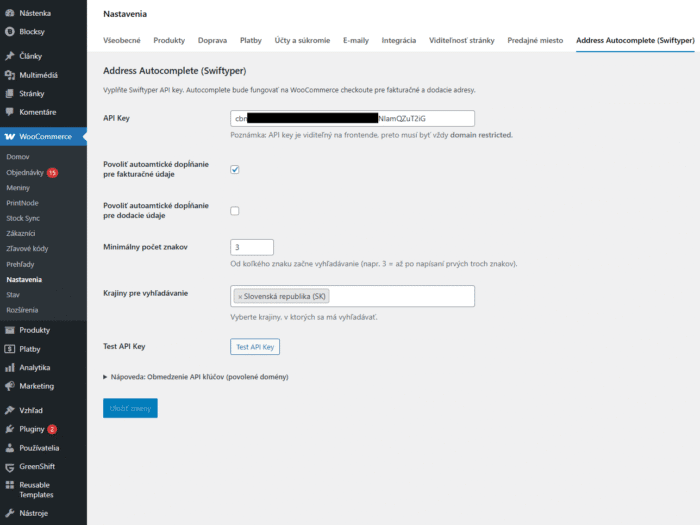
2. After activation, you will be redirected to: WooCommerce → Settings → Address Autocomplete (Swiftyper).
3. Enter your Swiftyper Places API key (domain-restricted) and click the "Test API Key" button.
4. Select:
– Enable for billing and/or shipping.
– Minimum number of characters before searching (e.g., 3).
– Countries to search in (multiple selection). Leave blank to be followed by the cashier country field.
5. Save your changes.
Frequently asked questions
= "API test key" displays error 400/Unsupported request =
– Make sure you are using the Places key.
– Verify that the exact origin of your site (scheme + domain + port) is enabled in the Swiftyper console.
= Can I restrict where autocomplete is allowed? =
Yes. Use the two checkboxes to enable billing and/or shipping.
= How do I reduce the number of API calls while writing? =
Use the „Minimum number of characters“ setting (e.g. 3 starting with a match from the 3rd character).
= How do countries work? =
– If you select countries in the administration, autocomplete will only search for those (e.g., SK + CZ).
– If none are selected, the value of the selected WooCommerce country follows.
= Is Swiftyper SDK loaded from CDN? =
No. The local copy is included in the assets/swiftyper.js file to meet add-on verification requirements.
License
This plugin is licensed under the GPLv2 or later.